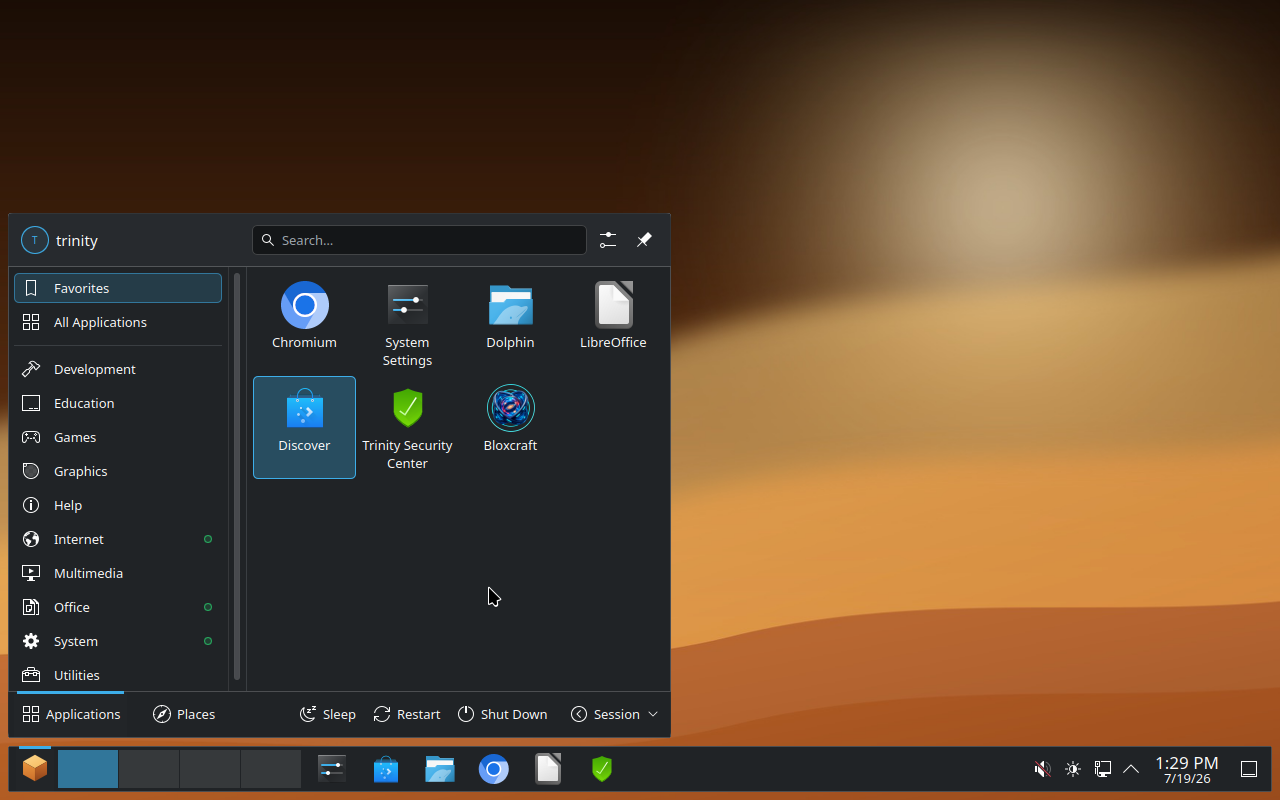
Trinity OS looks and feels like the desktop you already know — fast to boot, easy to use, completely free. No forced subscriptions, no pre-installed junk you didn't ask for.
Trinity OS ships with a real security suite, an app store, and automatic updates — built in, not bolted on.
Antivirus, firewall, and brute-force protection in one place, with a one-click "Fix Issues" button when something's off.
The OS and its core apps update themselves on a schedule — or check manually any time from the Security Center.
Timeshift snapshots keep a safety net under your system, so a bad update or mistake is always reversible.
A taskbar, a start menu, a system tray — everything is exactly where you expect it to be, no relearning required.
Install more software instantly through Discover, backed by Flathub — no terminal required.
Partition, resize, and manage your drives with a proper graphical tool — no command line needed.
Trinity OS is what a modern desktop should feel like — without the cost or the clutter.
| Trinity OS | Windows | Most Linux distros | |
|---|---|---|---|
| Price | Free | Paid license | Free |
| Pre-installed bloatware | None | Yes | Varies |
| Familiar desktop layout | Yes | Yes | Often not |
| Built-in security suite | Yes | Yes | Rarely |
| Forced telemetry / ads | None | Yes | None |
| Runs well on light hardware | Yes | Often not | Varies |
A full productivity and creative suite, included from first boot.
Free to download, free to install, free to keep. No account required.